Make room for every plan
Choose groceries, household tasks, school supplies, packing, gifts, pharmacy, things for the house or a custom list.
By RigelTec · For Android
Lists and conversations, together.
Share the weekly shop, chores and plans. Keep your list and its conversations together.
Inside Shared Lists
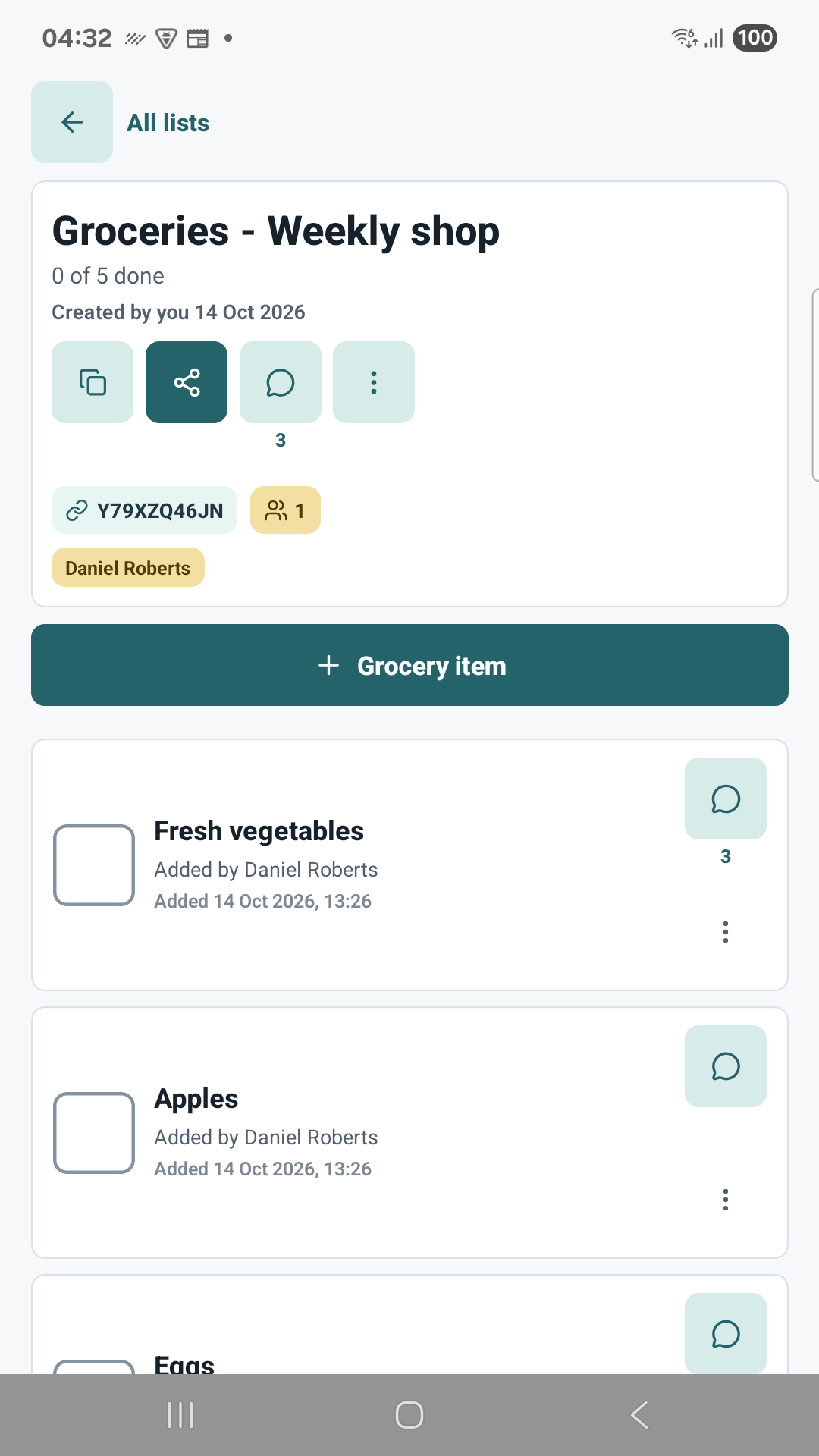
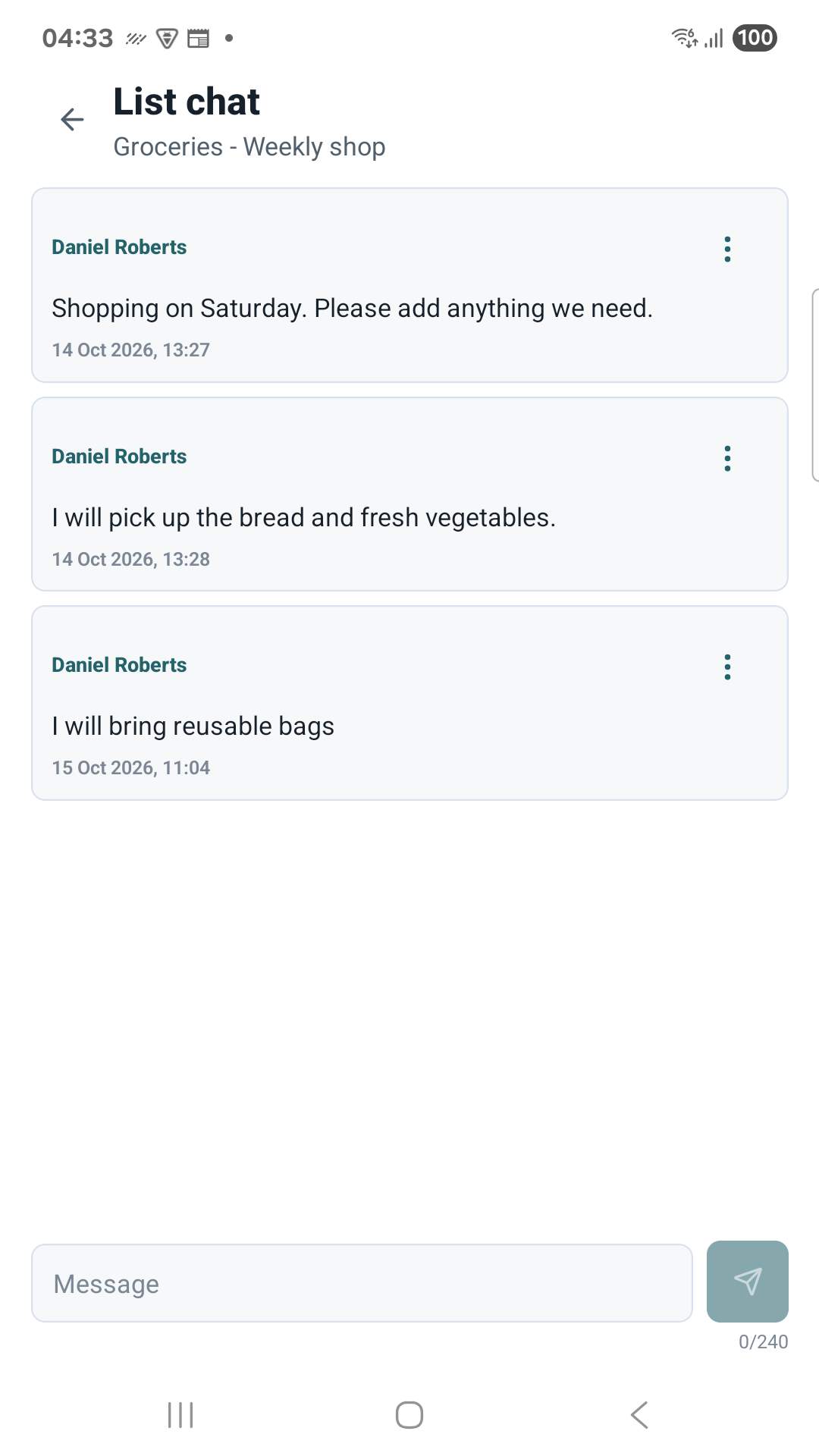
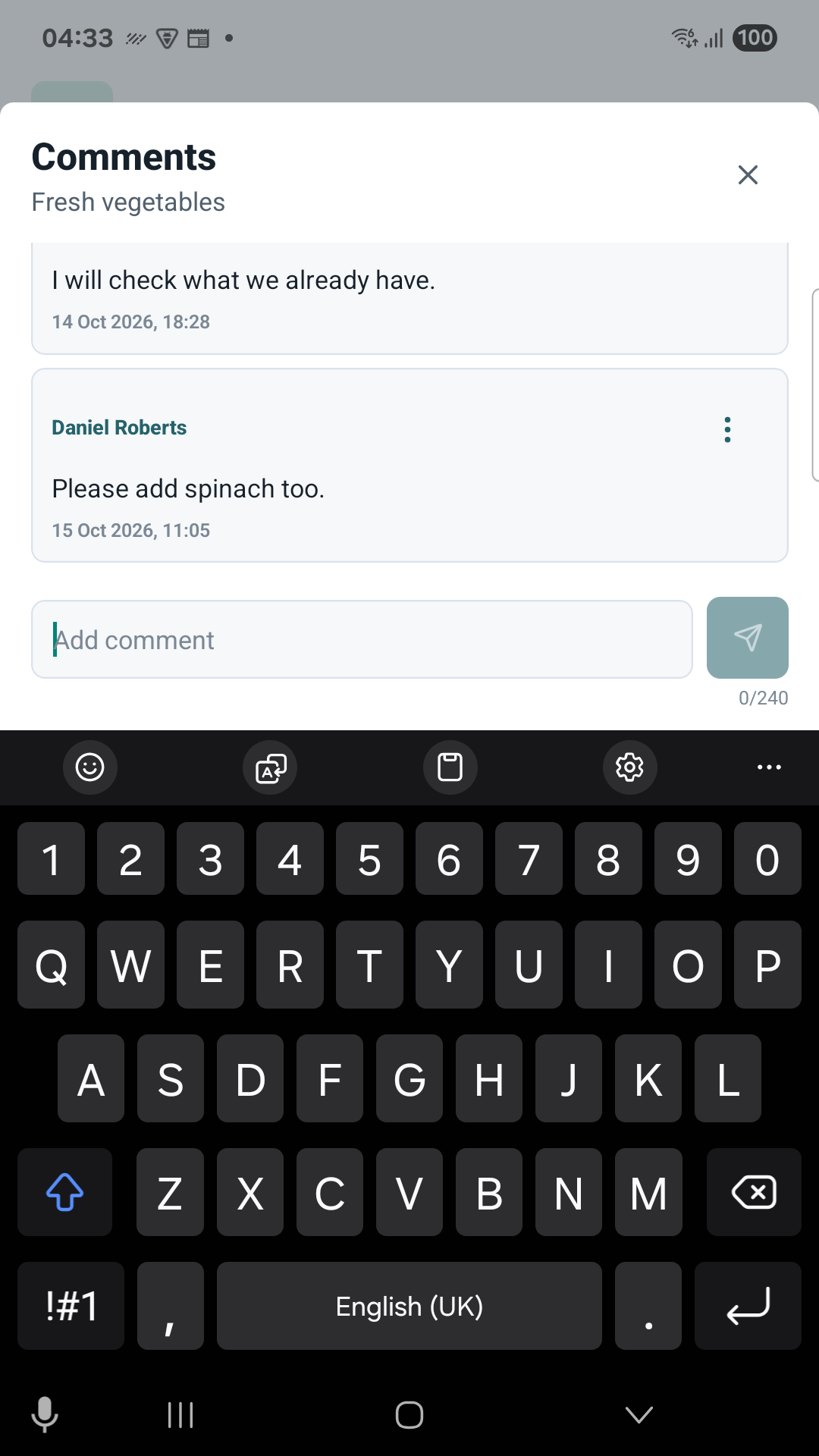
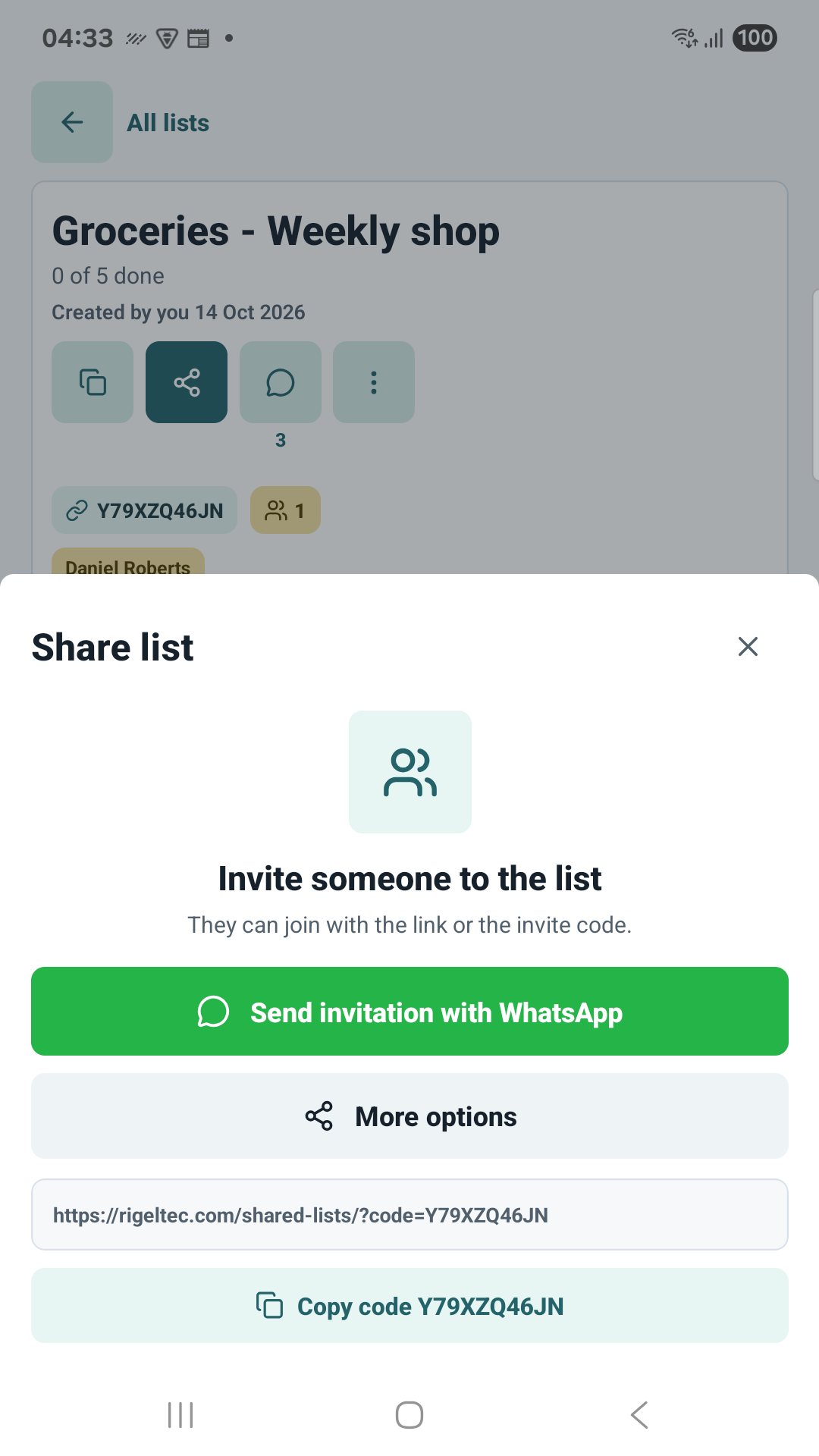
Your list, the people involved and the conversation around it.
For everyday coordination
Choose groceries, household tasks, school supplies, packing, gifts, pharmacy, things for the house or a custom list.
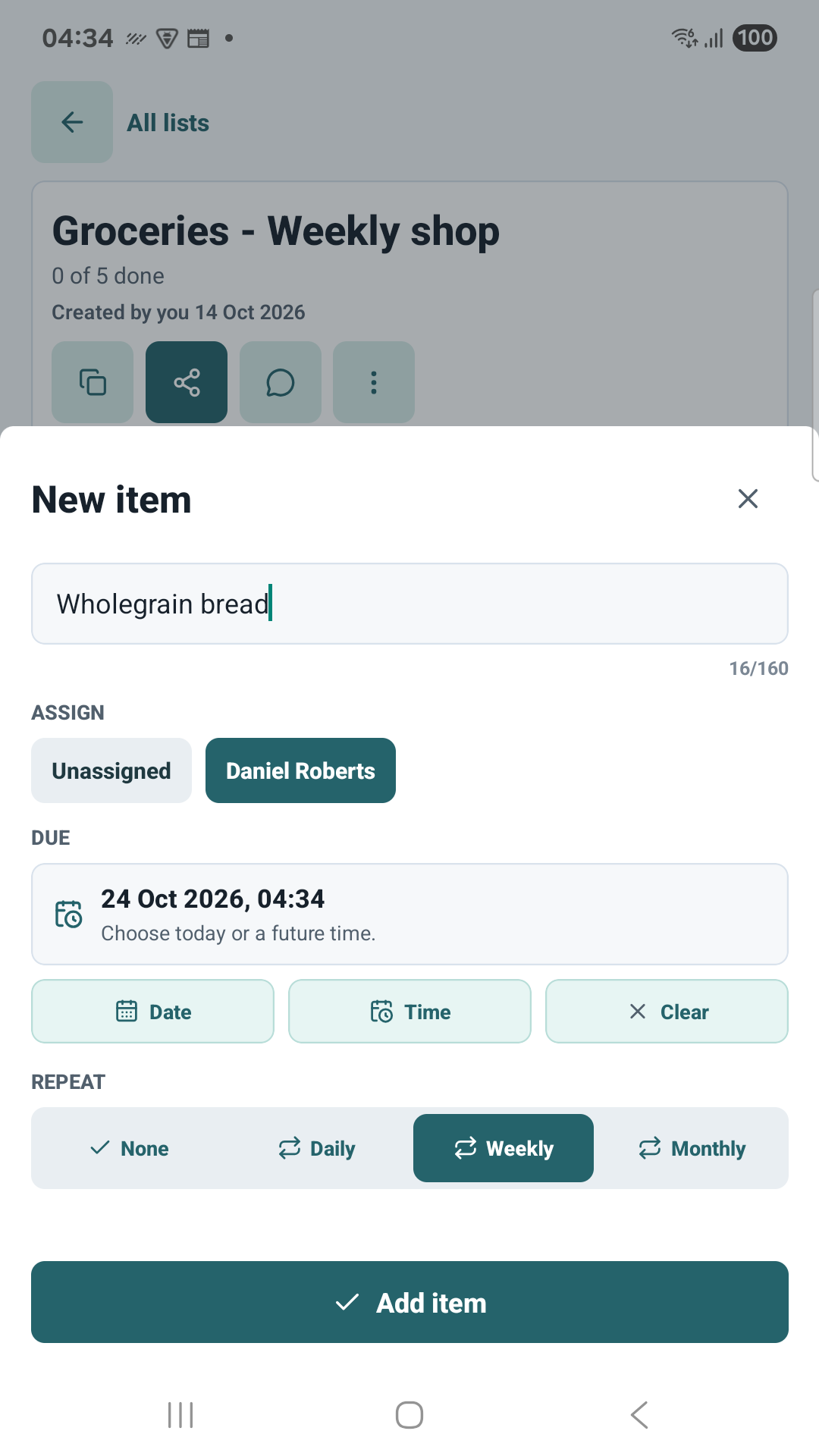
Assign an item to a participant, set a due date and time, and see who added or completed it.
Set daily, weekly or monthly repeats. The next occurrence appears when its scheduled day arrives, rather than immediately after completion.
Use list chat for the overall plan and comments for individual items. Counts and unread indicators show where there is more to read.
Add items offline and sync after reconnecting. Joining lists, account actions and some other changes need an internet connection.
Manage participants, transfer ownership after acceptance, restore lists from Trash or delete your account in the app.
Good to know
You can start in guest mode. Link your guest account to Google or email sign-in to keep access when changing devices. An unlinked guest account cannot be recovered simply by reinstalling the app.
Open your list and tap the share invitation button. Send its link or code to someone you want to join. A participant who joins can see existing list content and conversation history.
Yes. Manage notification preferences in the app and allow notifications in Android settings. Delivery depends on your connection and device settings.
The current release is available for Android on Google Play. There is no iOS release available yet.
Ordinary list deletion moves an owned list to Trash for 30 days. Account deletion has a separate permanent-deletion process, including a choice about owned lists. See account and data deletion for the full steps.
Available now
Download Shared Lists for Android from Google Play.